A small tool for desktop Chrome
A calmer browser,
one tab at a time.
Pick a tab limit you can work with. When you reach it, finish with one tab before you open another.
No account. No extension analytics. Your saved links stay on your device.
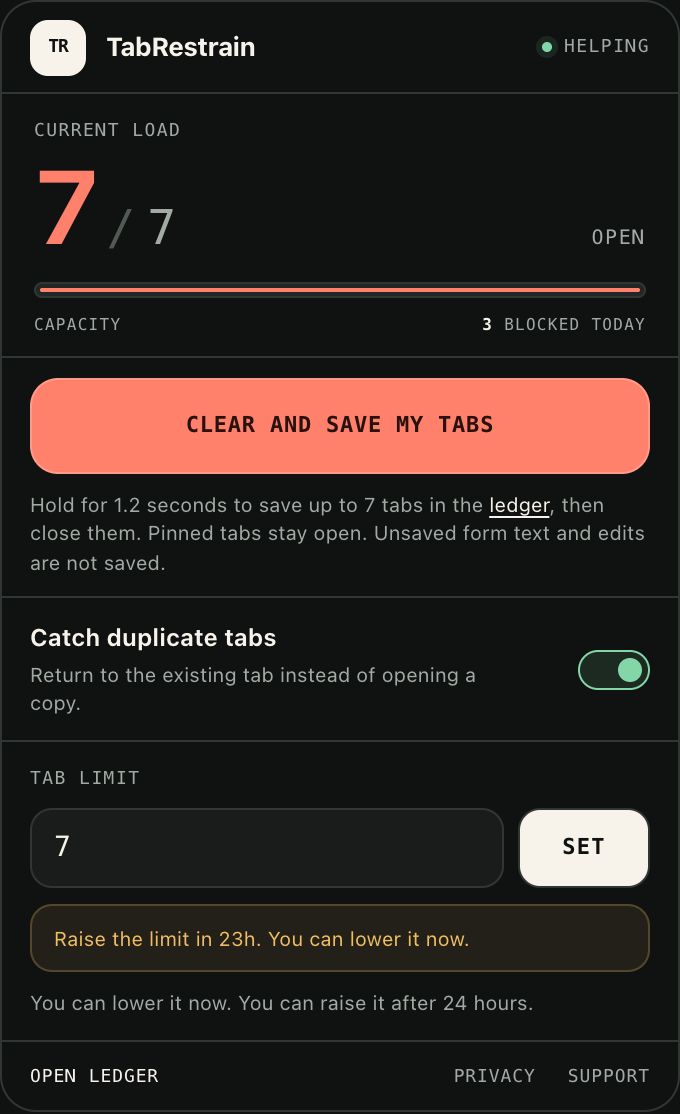
02 / Set a useful limit
Choose the number.
Keep the promise.
Start with five to seven tabs, or pick your own number. You can lower the limit at any time. A 24-hour lock gives an increase time to wait.
- Counts browser tabs across windows.
- Closes a new tab when it takes you over the limit.
- Returns you to an exact duplicate already open.
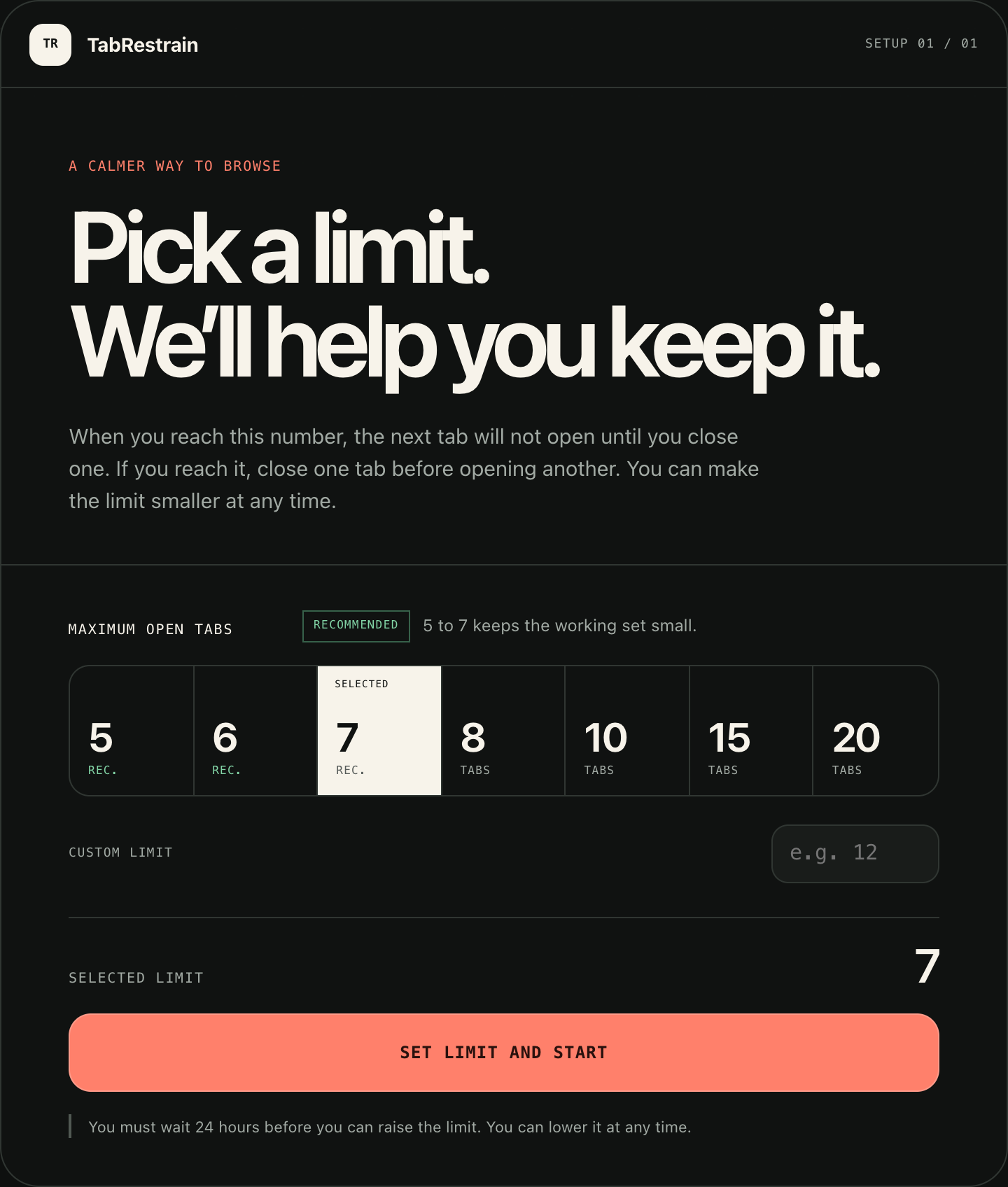
03 / A fresh start
Save the links.
Clear the pile.
Hold one button to save your open links before closing the tabs. Review the saved links, reopen what you need, or send selected items to your Todoist.
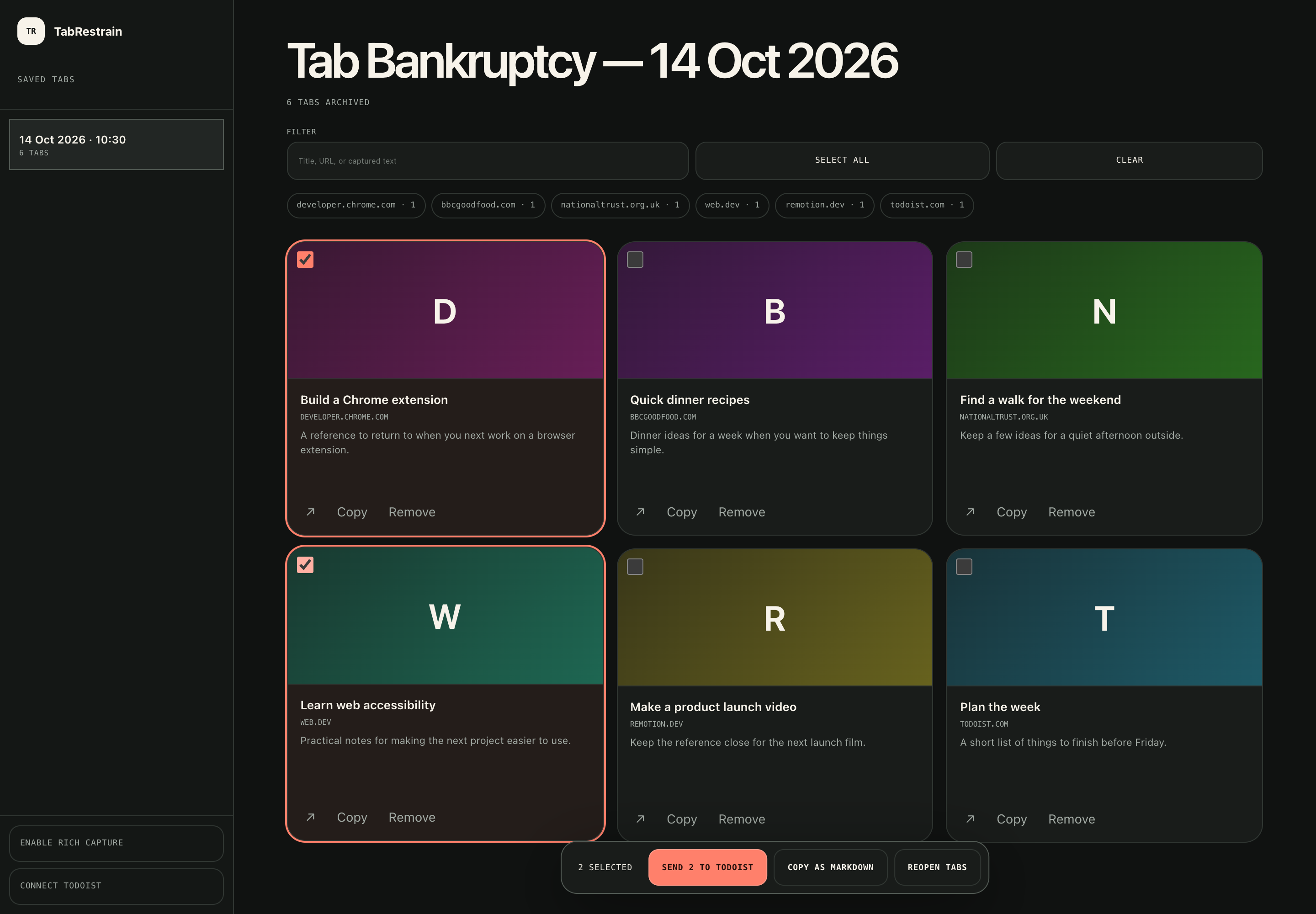
Keep the useful bits
Filter by title or site. Copy links as Markdown. Reopen a page when it earns a place in your working set.
Optional rich capture
Enable site access in the ledger before a future save to include descriptions and local screenshots.
You choose what leaves
Saved links stay in your browser. Todoist receives only the items you choose to export. Screenshots stay local.
A quiet tool
No account to create.
No dashboard to maintain.
The extension uses local browser storage. There is no TabRestrain account, no extension analytics, and no remote preview images in your saved-tab ledger.
Read the privacy policyEarly access / v1.3.0
Make room for
the tab you need.
Free for desktop Chrome and Chromium browsers. This early-access release uses a ZIP and a short manual install.
Download the .zipVersion 1.3.0 · 42 KB · No account required
Install in desktop Chrome
- Download the ZIP and extract it to a folder.
- Open
chrome://extensionsand enable Developer mode. - Select Load unpacked and choose the extracted folder.
- Choose your tab limit in the setup screen.
Already installed? Replace the files in your existing extension folder, then select Reload. Keep the extension installed to preserve its settings and saved links.
Chrome Web Store installation is not available yet. You can review the extension permissions before you load it.
Before you install
Will it close the tabs I already have?
Setting a limit does not close existing tabs. It stops new tabs above that limit. The clear-and-save action closes tabs only after you hold the button to confirm.
What happens to pinned tabs and unsaved work?
Pinned tabs stay open by default. A saved link does not restore unsaved form text or edits. Finish important work before you clear your tabs.
Do I have to connect Todoist?
No. The tab limit and local ledger work without Todoist. Connect it only if you want to turn selected saved links into tasks.
Does it work on a phone?
This release is for desktop Chrome and compatible Chromium browsers. It is not a mobile browser extension.
How do I remove my saved data?
You can remove saved links and archives in the ledger. Uninstalling the extension removes its local settings and archive data.